
Docs/Developers & integrations/Send Bulk or Single SMS via Apex
Send Bulk or Single SMS via Apex
You can send SMS from Apex by creating a record on the Message Bucket object (rsplus__SMS_Bucket__c).
You can also send bot questions by mapping a bot element ID to the Message Bucket field. See the section below for how to find it.
Example: Sending SMS from a Contact Update
Find the Bot Element ID for rsplus__Bot_Element__c
To add a bot element ID to the rsplus__Bot_Element__c field of the message bucket:
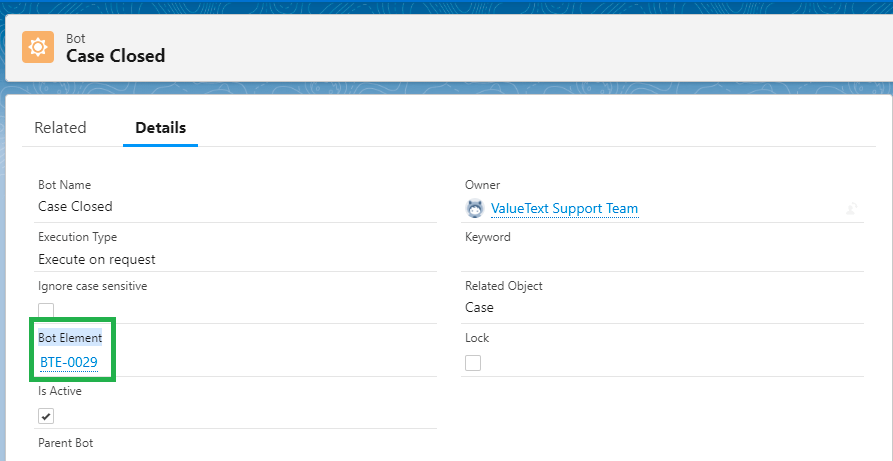
- Choose the bot. Go to Salesforce > Bot tab, choose the bot you want to send as an SMS, and open it. You will see the Bot Element lookup field; open it.
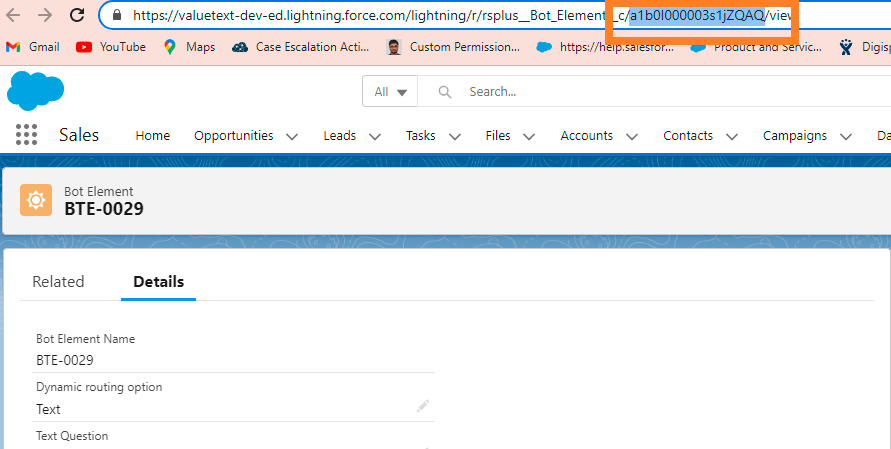
- Copy the record ID. Click the lookup field on the bot record to open the bot element record. Copy the ID from the browser URL and map it to the
rsplus__Bot_Element__cfield.
Was this helpful?