
Docs/Chat console & conversations/Add Mini Chat Console to Salesforce Record Page
Add Mini Chat Console to Salesforce Record Page
Add the Mini Chat Console component to a Salesforce record detail page, such as Contacts or Leads, so agents can send and receive messages without leaving the record.
Last updated 28 Nov 2025Open the record detail page
- From the App Launcher, click your most-used application, for example Sales.
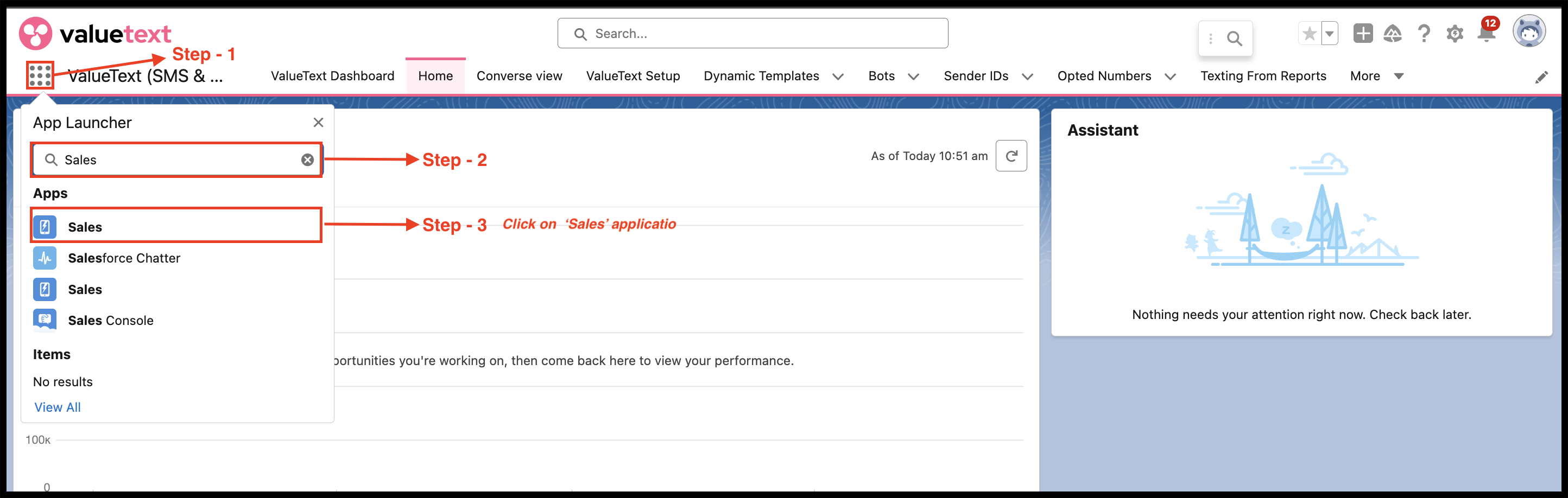
Fig 01 - Go to the Contacts tab, or the object where you want the console, such as Leads.
- Click a contact's name to open its record detail page.
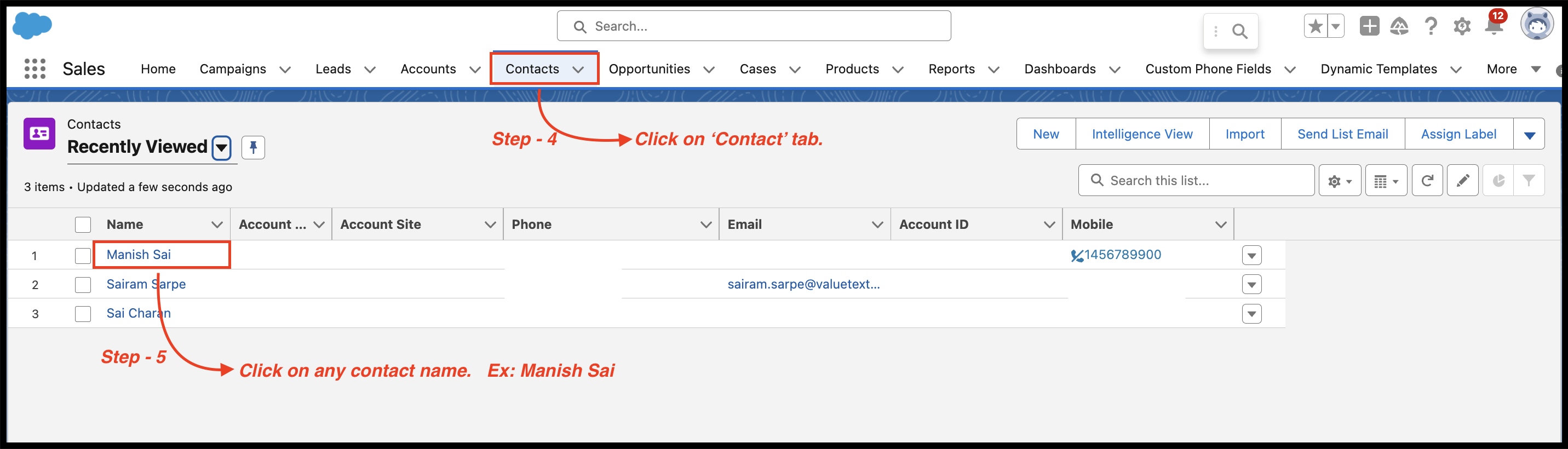
Fig 02
Edit the page layout
- On the record page, click the gear icon in the top right corner.
- Select Edit Page from the dropdown menu.

Fig 03
Add the chat console component
- In the Lightning App Builder, find the section of the page where you want to add the component.
- From the Components sidebar on the left, drag the Custom component onto the page.
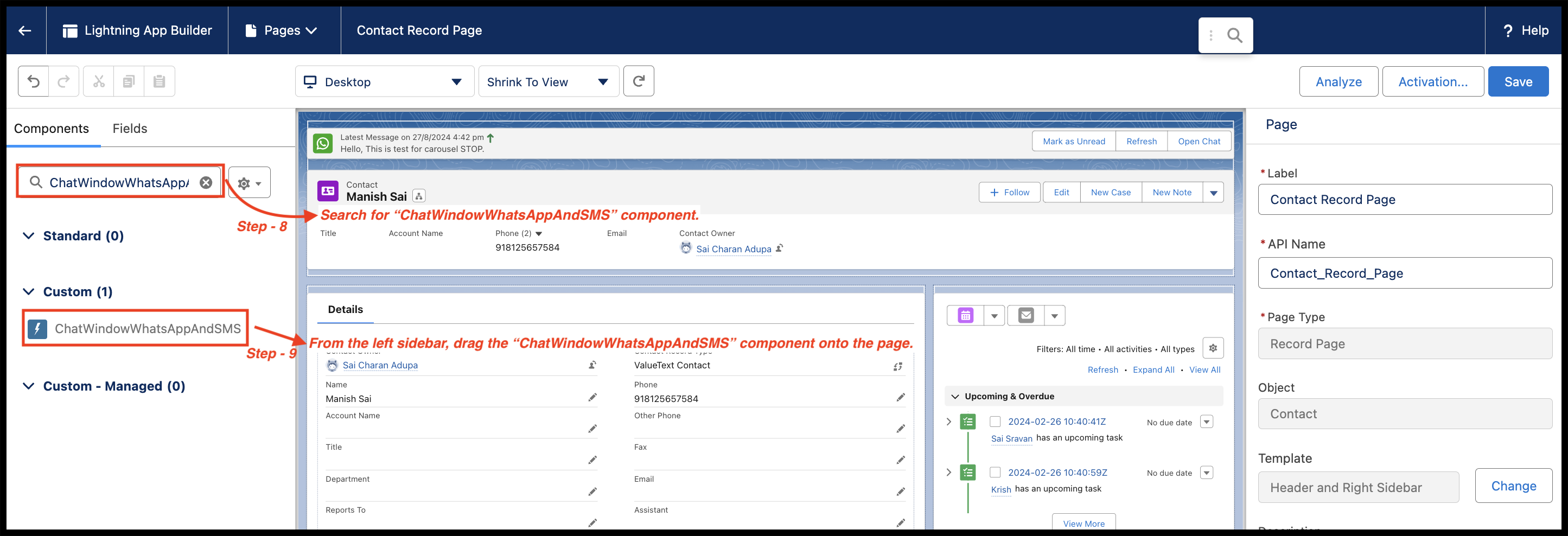
Fig 04 - Choose ChatWindowWhatsAppAndSMS from the dropdown list.
- Click Save in the top right corner.
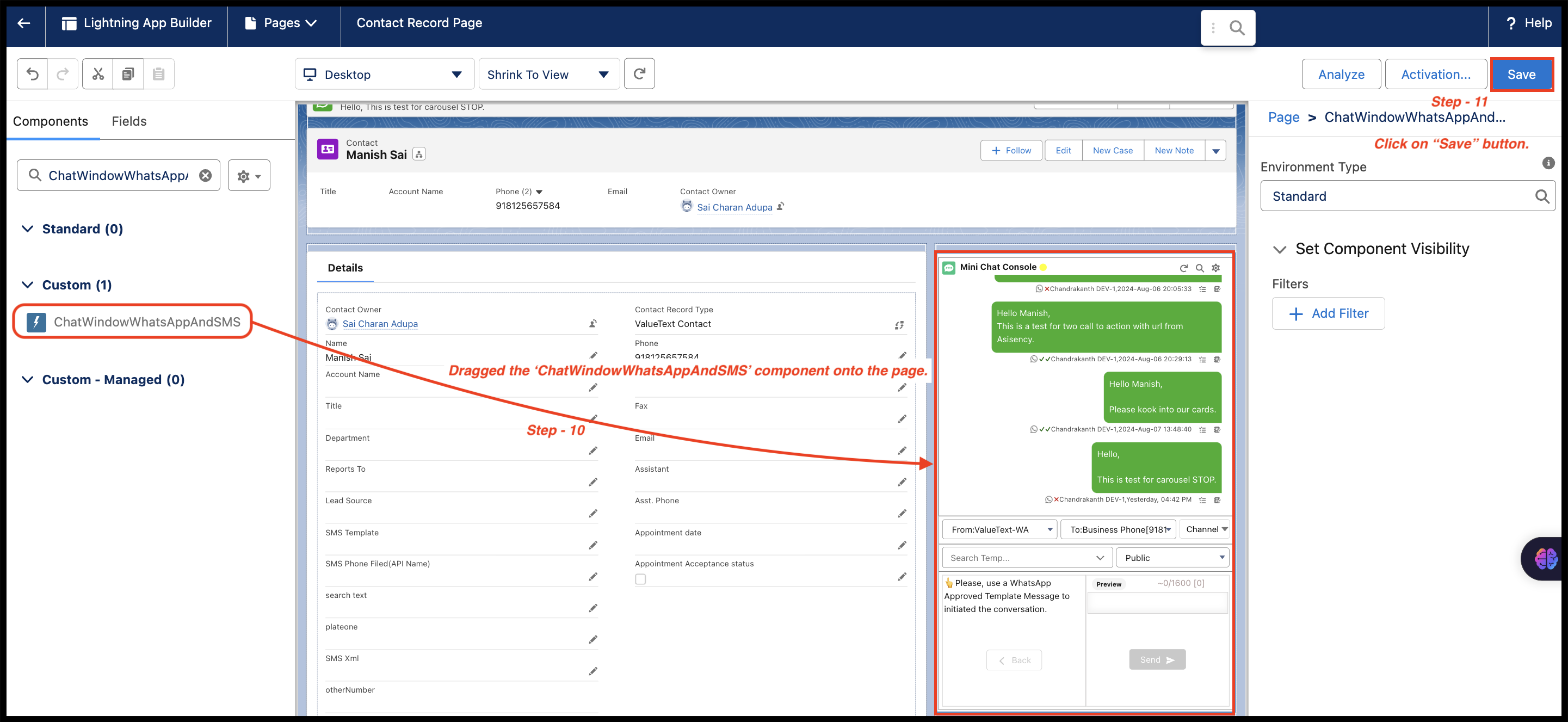
Fig 05
Activate and publish the page
- If needed, click Activate and assign the page to the relevant apps and profiles.
- Preview the changes, then click Publish.
Was this helpful?