
Docs/Templates & compliance/Set up Quick Text in Salesforce
Set up Quick Text in Salesforce
Quick Text saves time and increases standardization. Users can insert predefined messages, such as greetings, answers to common questions, and short notes. Customers have the option to send a quick text message using ValueText's Mini Chat Console.
Last updated 28 Nov 2025To use Quick Text, enable the options below.
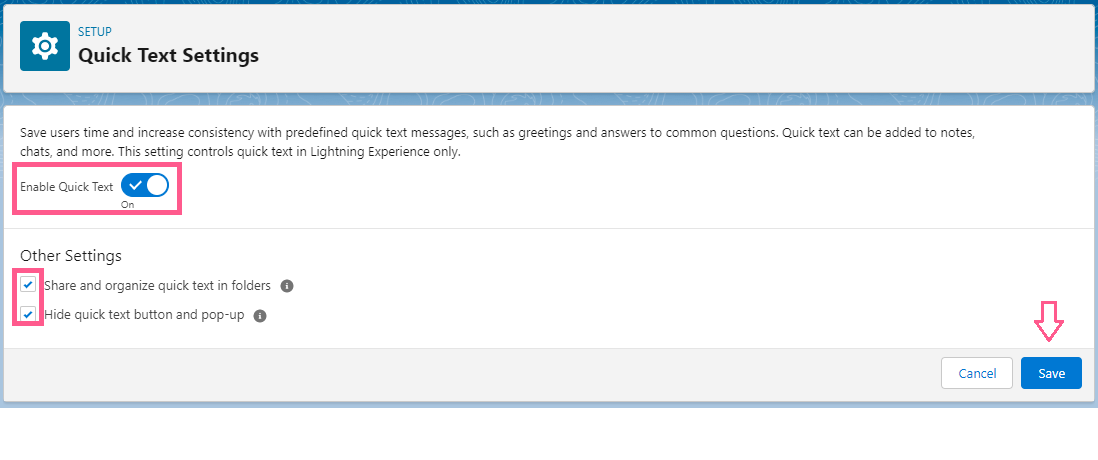
Enable Quick Text
- Go to Setup.
- Search for Quick Text in Quick Find.
- Select Quick Text Settings.
- Enable the options shown below.
- Click Save.
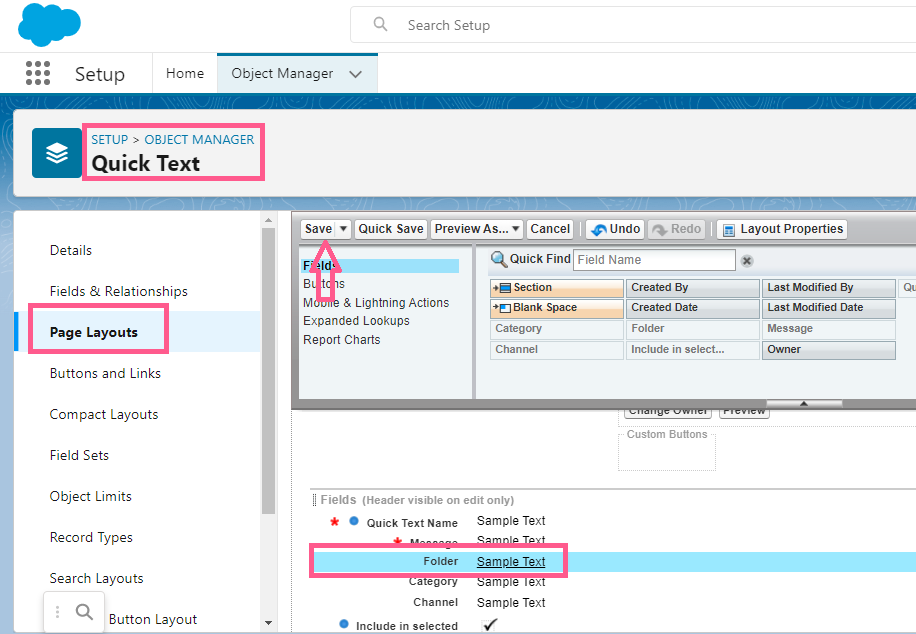
Add the Folder field to the page layout
Under the Quick Text object, add the Folder field to the active page layout, then click Save.
Refer to the image below.
Add WhatsApp as a picklist value on the Channel field
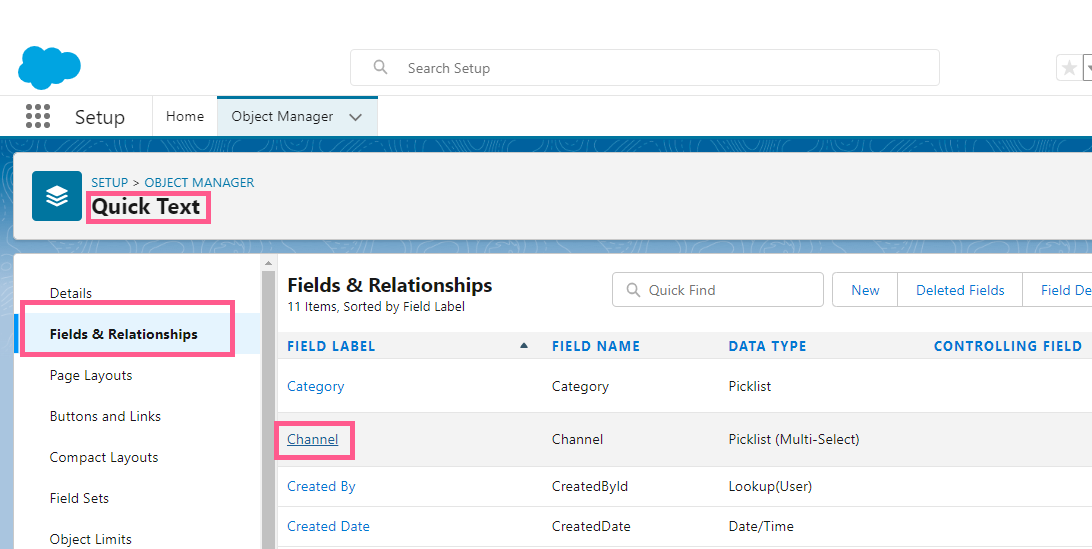
- Go to Object Manager.
- Search for Quick Text.
- Click Fields & Relationships.
- Click Channel.
- Add the WhatsApp picklist value to that field, as shown in the image below.
- Click Save.
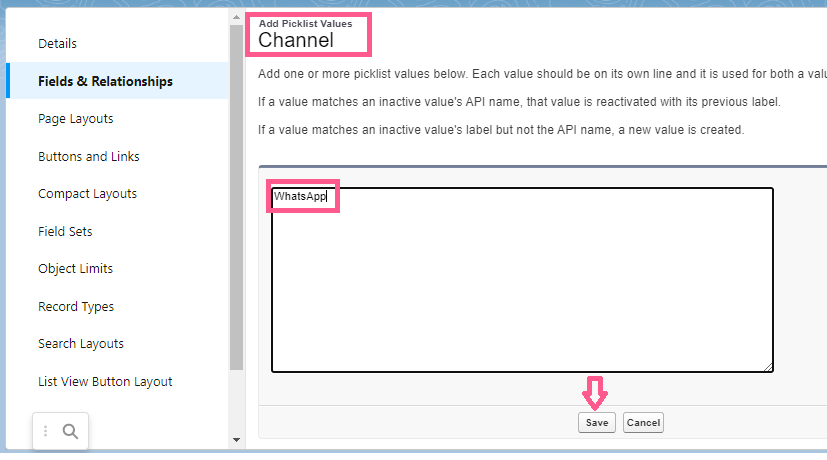
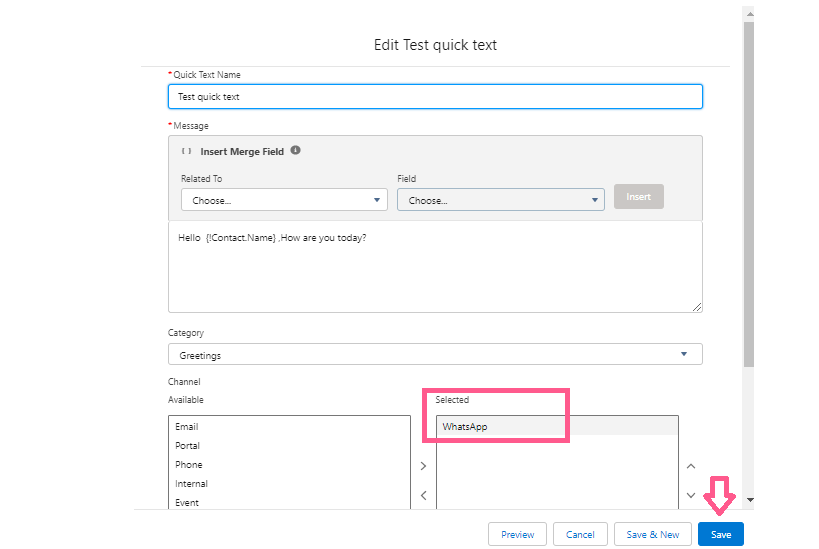
Note: Selecting WhatsApp is required if you want the quick text visible in the Mini Chat Console.
Please refer to the image below.
Was this helpful?