
Chat Sessions in ValueText
A Chat Session is a period during which messages have been exchanged with a customer. The interval between Chat Sessions is 30 minutes by default, but you can customize it.
Last updated 28 Nov 2025Set the Chat Session interval
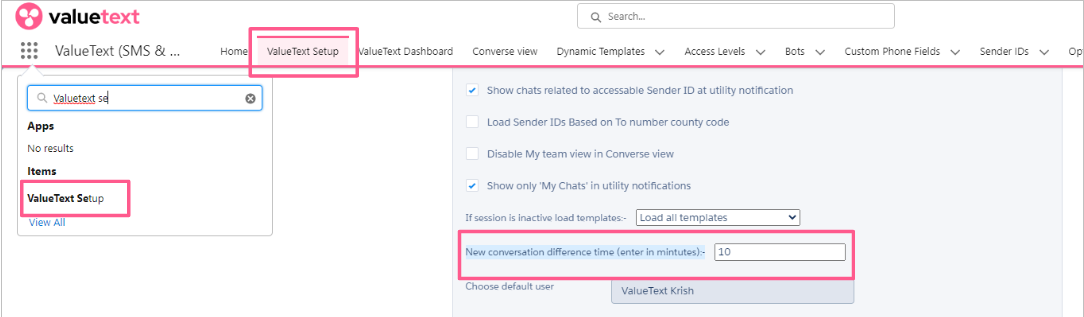
- Go to ValueText Setup. In Step 1 of the setup wizard you'll find New conversation difference time (enter in minutes).
- Enter the interval in minutes, for example 10, 20, or 30.
For example, if you set the interval to 30 minutes, any message sent more than 30 minutes after the last one will start a new Chat Session.
Close or start a Chat Session manually
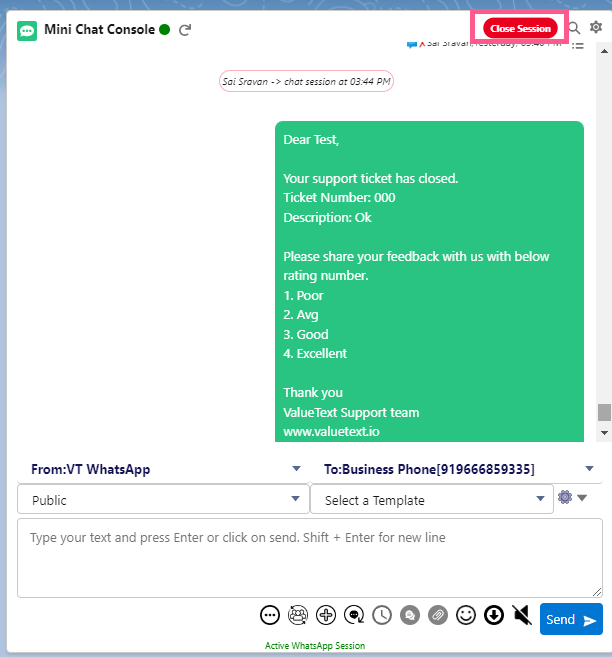
You can also close or start a new session by hand. To close a Chat Session manually, click Close Session in the top right corner of the Mini Chat Console.
View Chat Session history in Converse view
You can review a record's chat history broken out by Chat Session:
- Go to Converse view.
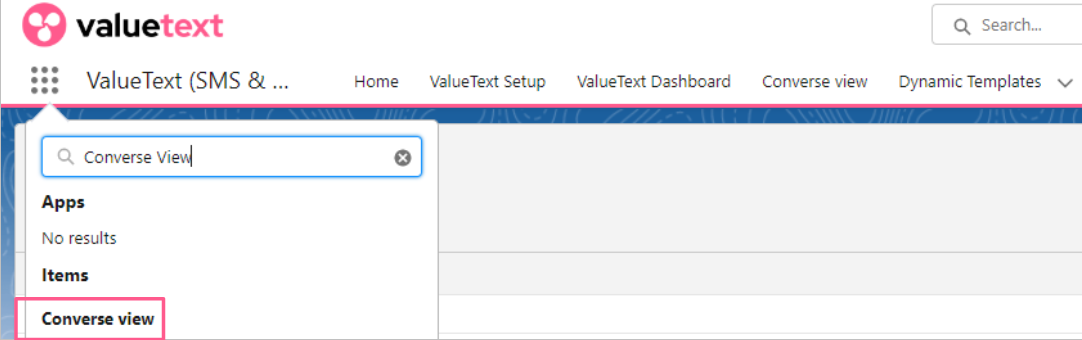
Fig 03 - Go to the required record and click the dropdown (⏬) icon. The chat sessions for that record are displayed.
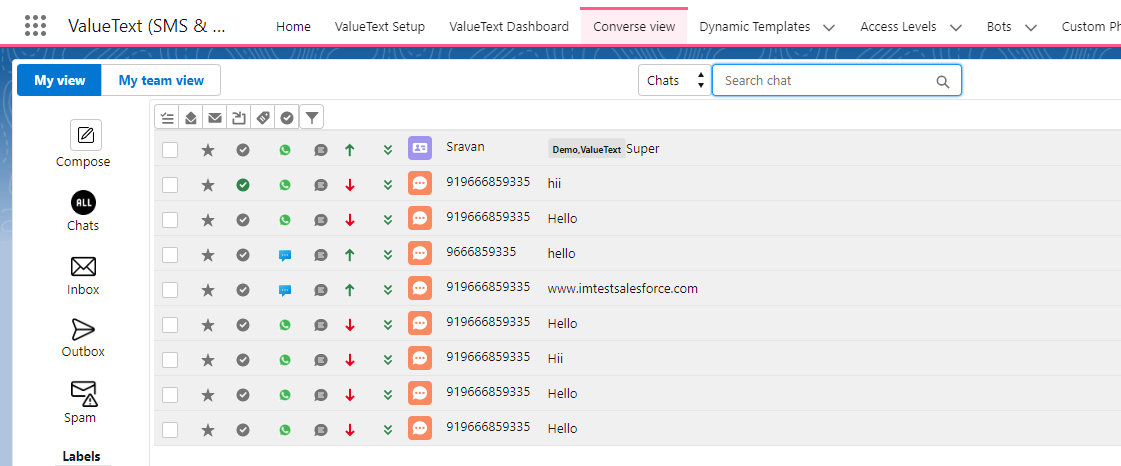
Fig 04 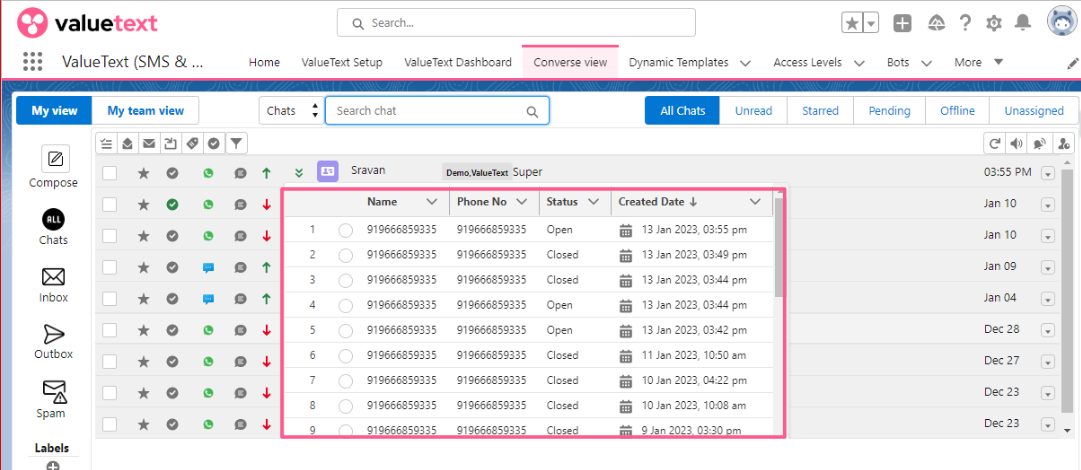
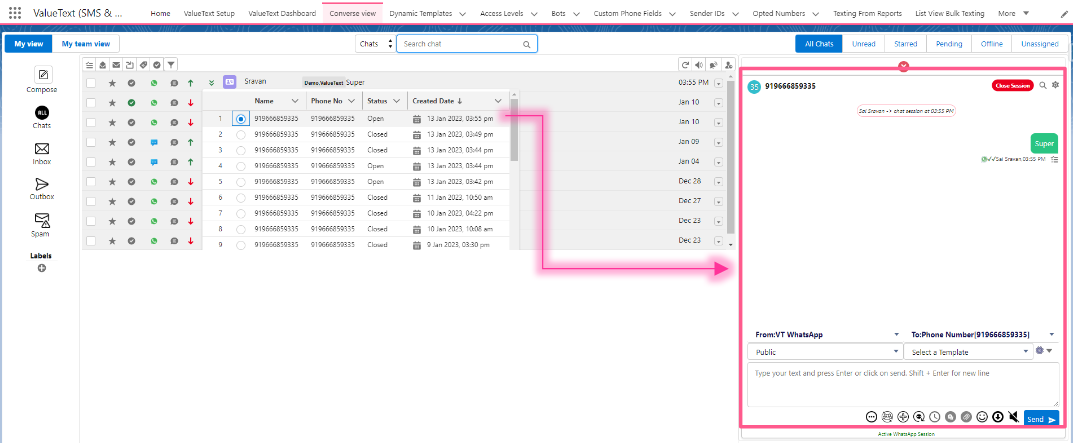
Fig 05
If you selected the first radio button, the Mini Chat Console automatically opens on the right side with the full message history for that session.
Enable Chat Session tracking
By default, Chat Session is not enabled. To turn it on, go to ValueText Setup > Omni channel message routing and check the Chat Session box.
FAQ
Is Chat Session the same thing as a WhatsApp session?
No. A WhatsApp session is a 24 hour window that is activated by an approved WhatsApp template message or an incoming message. See the pricing page for details.
A Chat Session is different: it tracks separate conversations with the same customer across different time intervals.
Can all conversations be stored on an object?
Yes, all Chat Sessions are stored in the rsplus__Chat_session__c object.