
Using the Big Chat Console
The Big Chat Console monitors, sends, and receives messages for you and your colleagues in one place. It also includes several other features, described below.
Last updated 28 Nov 2025Open a chat
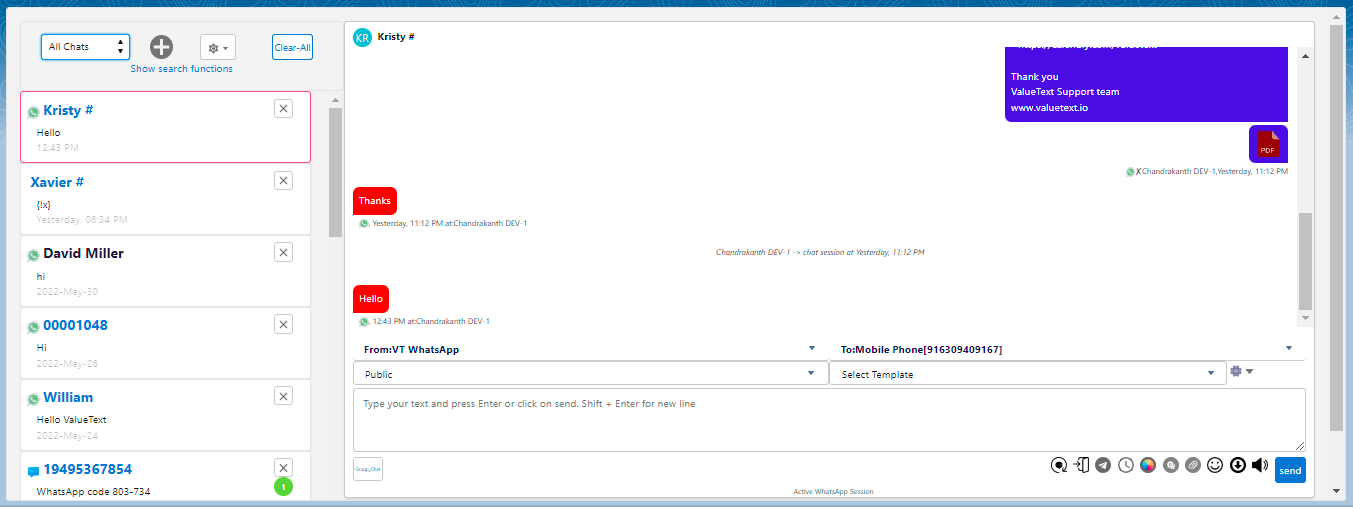
The Big Chat Console opens the first chat conversation by default on the right side. Select any chat from the left side by clicking its name. The opened chat is highlighted with a pink border.
Filter your chats
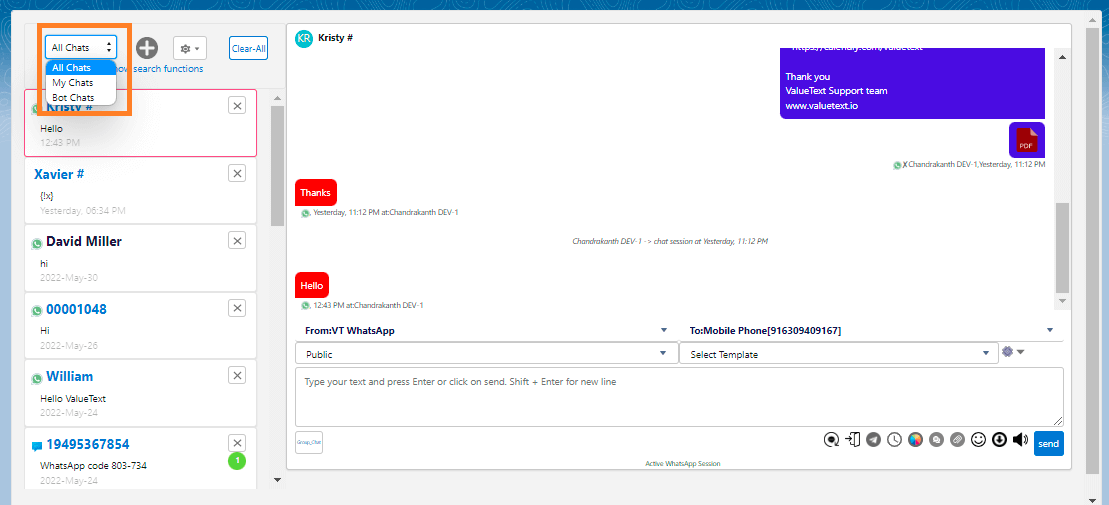
Filter the chat list by choosing one of the following options:
- My chats: chats related to you (handled by you or assigned to you).
- All chats: chats related to all your colleagues.
- Bot Chats: chats related to bot conversations.
Create a record and link a chat
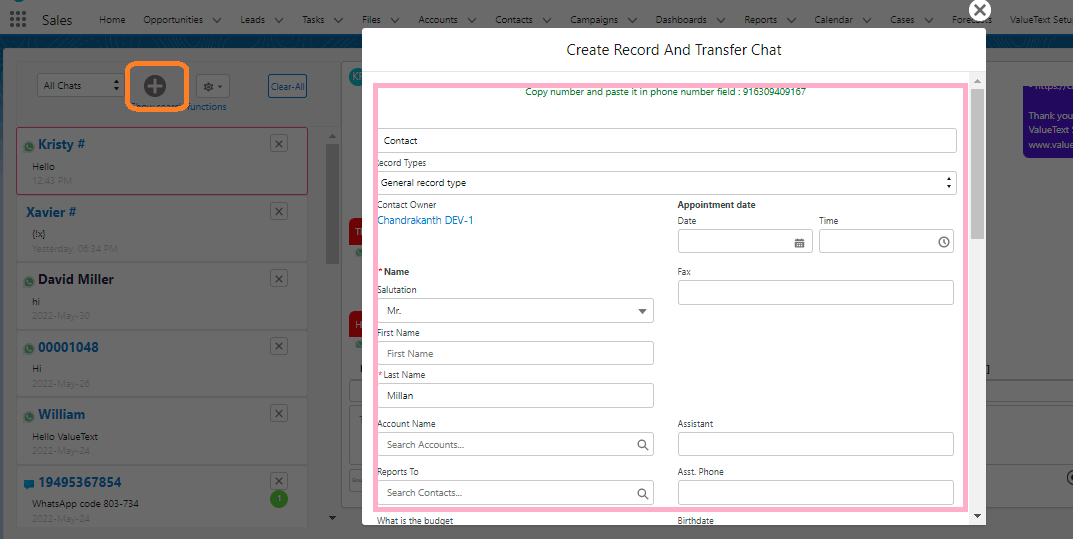
If a chat is not linked to any record, click the new icon (the plus button) to create a record and transfer the chat to it.
- Search for the object you want to create a record for, and choose a record type if needed.
- Enter the record details. The screen shows the incoming number at the top, paste it into a mobile number field, then click Save.
- After saving, a Transfer Chat button appears. Click it to link the chat to the record you just created.

Search for a chat
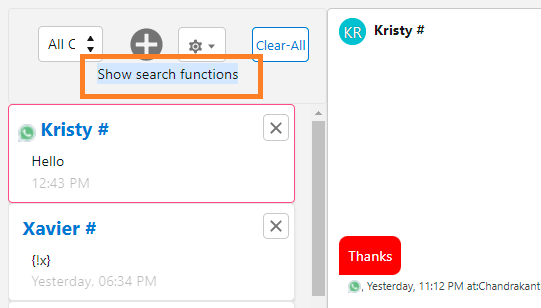
The Big Chat Console has an efficient search. Click Show Search Functions to reveal the search options.
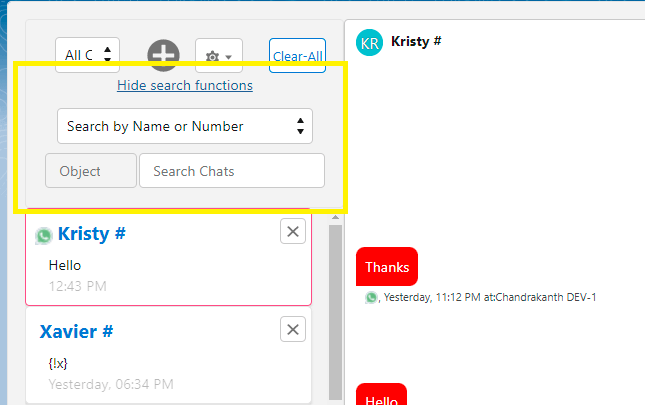
- Search by Name or number: search a chat by the contact's name or phone number.
- Search by Chats: search by a keyword from the conversation you remember.
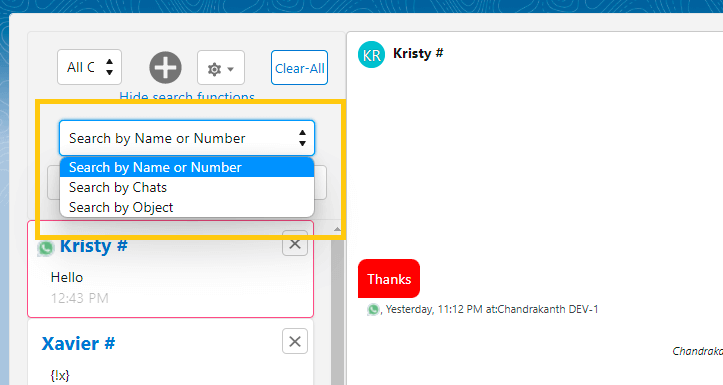
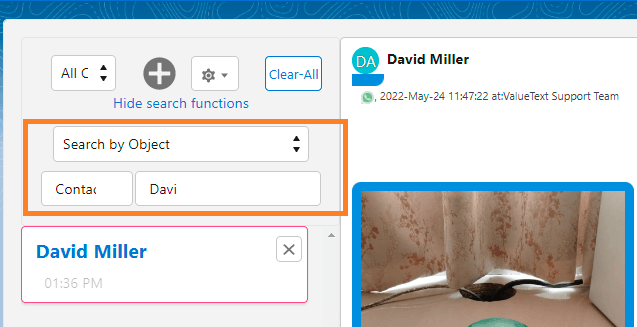
- Search by Object: select an object, then search by record name. Start a conversation directly by opening the chat console for that record.
Sound and sort settings
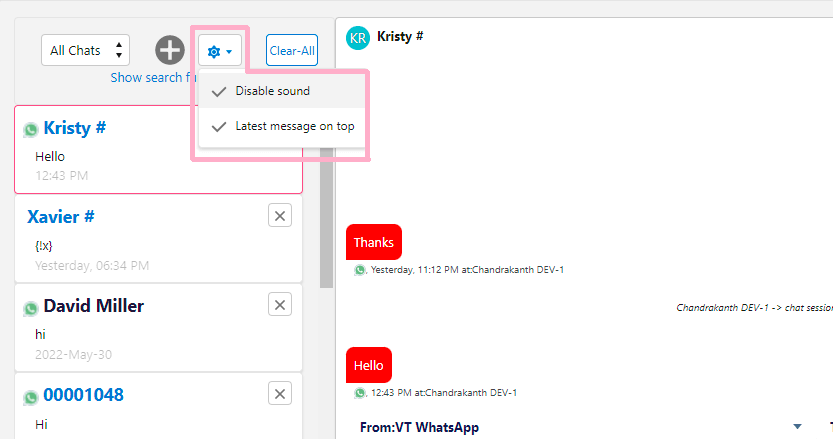
Open the settings menu (the gear icon) to control two toggles:
- Disable sound: turns off the sound for new messages.
- Latest message on top: sorts the chat list on the left by the most recent message.
Clear or ignore chats
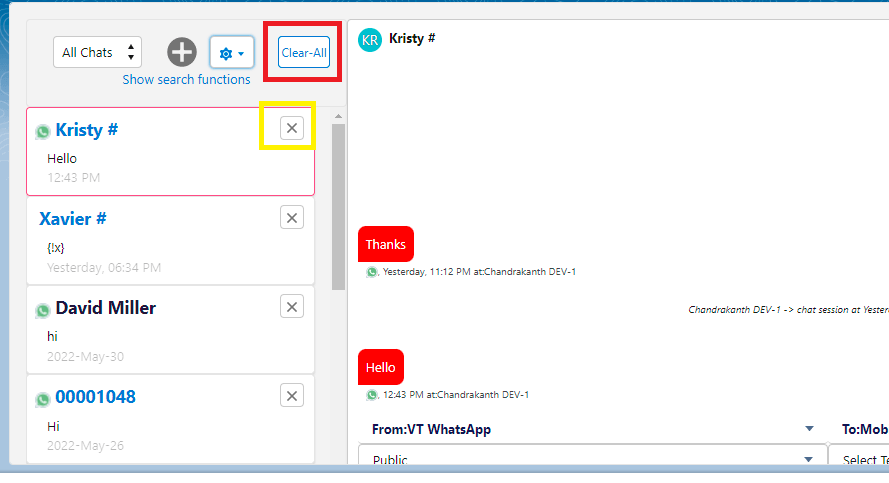
Click Clear-All to empty the chat list.
To ignore a single chat, click the close icon on that chat row, highlighted in yellow below.
To learn more about how the Chat Console works day to day, see the Chat Console documentation.