How to Automatically Send SMS from Salesforce
Learn how apps like ValueText allow organizations to automatically send SMS from Salesforce by using standard Salesforce automation tools.
Having the ability to send SMS text messages from Salesforce is already a super valuable tool to have available to you. The next step beyond this functionality, however, is being able to automatically send SMS from Salesforce according to your business processes. Luckily, this is a feature that apps like ValueText offer out-of-the-box using native Salesforce tools. Whether you are a programmatic developer (you use Apex), or you are a declarative developer (you use Flow), there is a method you can use to automate SMS text messaging from Salesforce.
Why Should You Automate Text Messaging from Salesforce?
As mentioned above, having the ability to send text messages to your customers and prospects is already great, but it can be made even more effective by removing the manual steps and requirements. Your business users already have established business processes and automations set up, so if you have the ability to enhance these with automated text messaging, it makes complete sense to do so.
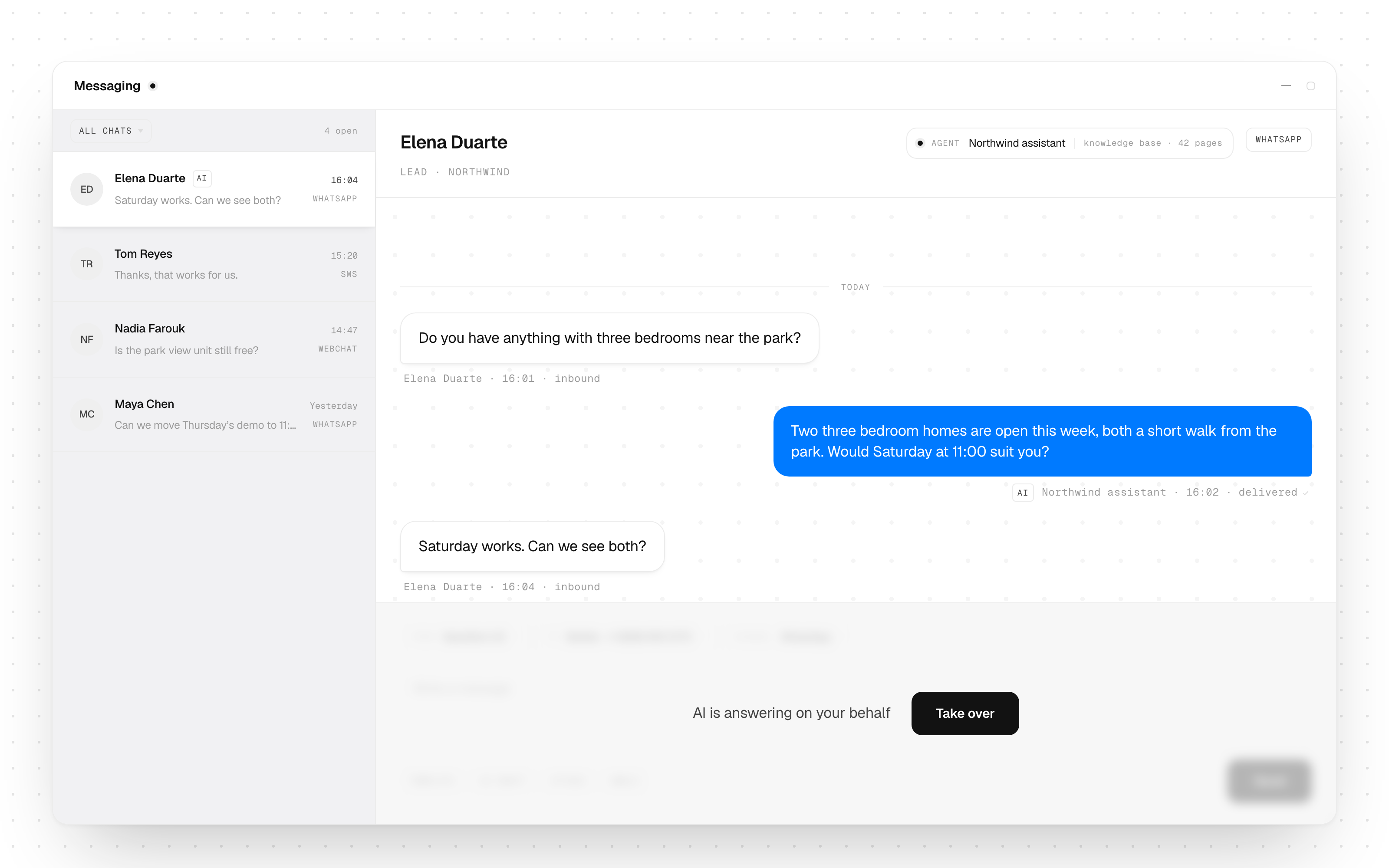
If executed correctly, not only will your internal business users have less manual work to complete, but your customers will also receive quicker, more helpful and more personal communication from your business. One example of this is when organizations automatically send SMS from Salesforce to remind customers about their appointments, and the customer has the ability to confirm or change the time immediately by replying back.
There are still times when a manually sent, personalized message will be the right option. That being said, there will also likely be a number of scenarios where it makes sense to use a Dynamic Template and automatically send SMS from Salesforce. Considering that your business likely already has a number of automations set up in the form of Flows or Apex code, it should not take too much time to implement automated text messaging.
Automatically Send SMS from Salesforce: Use Cases
From our experience of helping many ValueText customers create custom templates and set up capable automations, we have identified a number of use cases that appear more frequently than others. Below is a quick overview of the most common use cases when you can automatically send SMS from Salesforce:
- Appointment Reminders: A quick text message that reminds the customer of an appointment that they have booked for the next day or later that day.
- Customer Support Feedback Collection: Ask the customer for some constructive feedback or criticism following a case that has recently been closed by the business.
- Payments Reminders: Helping customers keep up to date with their payments with a gentle reminder via text message.
- Lead Qualification Bots: Handing off the lead qualification process to an automated text messaging process.
Automatically Send SMS from Salesforce Using Salesforce Flow
To automatically send SMS from Salesforce using Flow, you will need to add a new data element that will be used to create a new Message Bucket record. This Message Bucket record will be used as a record of the message that is to be sent to the customer, but by initially creating it through the Flow it adds the outgoing message to the ValueText application's queue to be sent.
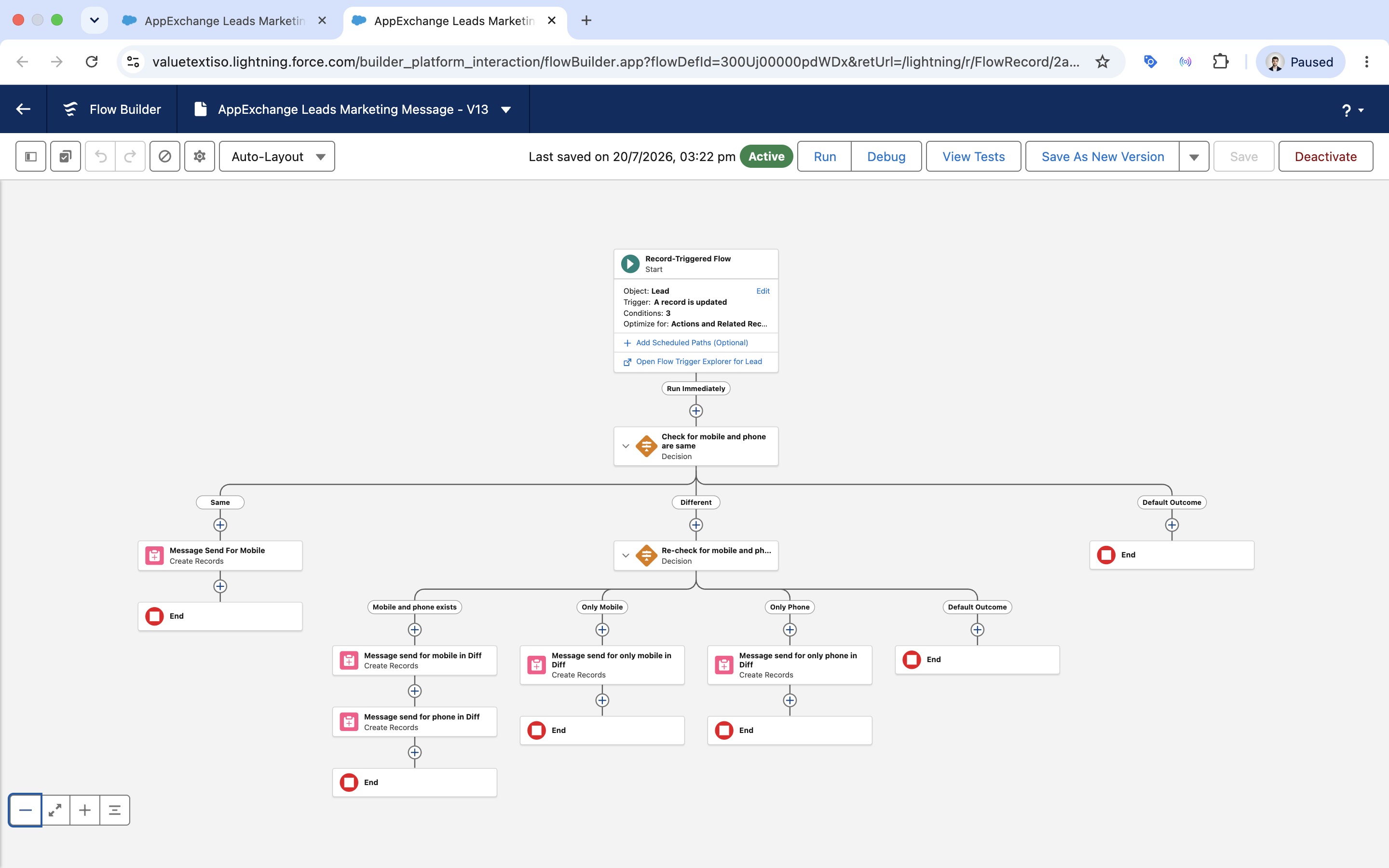
Given that your business likely has existing Salesforce Flows that support current business processes, the best way to gain value from automated text messaging using Salesforce Flow would be to work with your business units to determine where and when customers should receive messages.
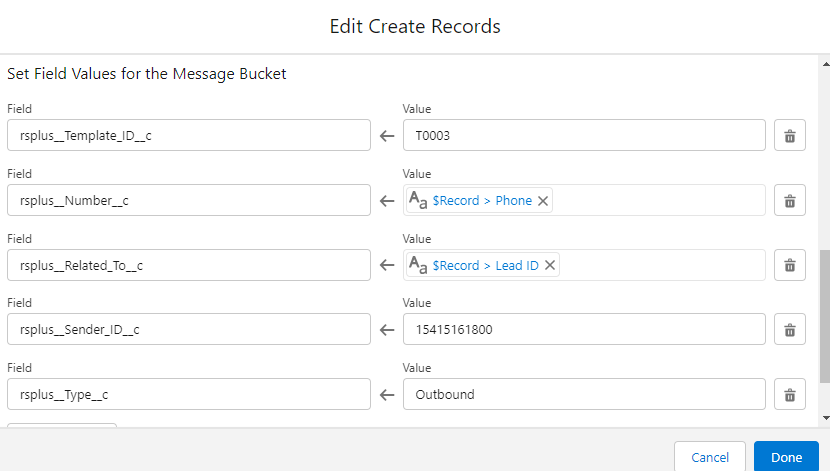
Ultimately, there are four fields that you need to populate on the Message Bucket record to automatically send SMS from Salesforce:
- Number (rsplus__Number__c): This is a Text field that will contain the recipient's mobile number. This is where ValueText will send the message to.
- Related To (rsplus__Related_To__c): This is a Text field (not a Lookup, but functions similarly) that will contain the Id of the Record that this message is to be related to.
- Sender ID (rsplus__Sender_ID__c): This is a Text field that will contain the sender's number. This is where ValueText will send the message from.
- Template ID (rsplus__Template_ID__c): This is a Text field that will contain the Name of the Dynamic Template record.
Any number of Flow functions and tools could be used to populate these field values. In the screenshot below, the record that triggered the Flow populates the Number and Related To fields. The Sender ID and the Template ID are being populated using plain text, but these could also be assigned using Variables, Formulas, or Decision Elements to populate values dynamically.
Once the Message Bucket record is created in the system, the ValueText Salesforce SMS messaging app will send the message to the recipient and update other relevant fields on the record itself. This message will then also be related to the record specified in the Related To field.
Automatically Send SMS from Salesforce Using Apex
Sending text messages automatically with Apex is very similar to the way it is done using Flow, except that you will be using Apex code to do so instead of Flow Builder's declarative interface. Underneath, the method is the same: you need to create a new Message Bucket record, and populate those 4 fields.
Once again, the fields you will need to populate are Number (rsplus__Number__c), Sender ID (rsplus__Sender_ID__c), Template ID(rsplus__Template_ID__c), and Related To (rsplus__Related_To__c).
Here is an example of some Apex code that can be used to loop through a list of records (in this case, Contact records) and create a new Message Bucket record (rsplus__SMS_Bucket__c) for each. Keep in mind that the code will need to be changed, depending on the context in which it is used.
Code like this could be used in either an Apex Class or an Apex Trigger directly, however it is best practice to use a Class to hold your logic and call that Class from the Trigger.
Before You Automate: Consent and Opt-Out
Automation multiplies whatever your consent process already does, including its mistakes. A Flow that fires on every closed Case will text people who never agreed to be texted, at whatever hour the Case closes, and it will do it thousands of times before anyone notices.
Three things belong in the build, not in a later clean-up:
- Store consent on the record, not in someone's memory. Salesforce ships
ContactPointConsentfor this. How the object works and which fields matter is covered in ContactPointConsent in Salesforce. - Gate every automation on that consent. Add the consent field to the Flow's entry criteria or the Apex query's WHERE clause, so a revoked opt-in stops the message at source rather than relying on a person to remember.
- Honour opt-outs automatically and immediately. A STOP reply has to update the record and stop future sends without a human step. The rules that govern this in the US, including the 2025 revocation requirements, are set out in US laws for SMS opt-in and opt-out.
Quiet hours and message frequency are worth deciding at the same time. Both are easier to build into the Flow now than to retrofit after a complaint.
Summary
Having the ability to automatically send SMS from Salesforce to your customers is something that a business could use to create more value for their customers and improve the efficiency of their team.
Although the ability to manually send one-to-one messages is still possible, having templated messages automatically sent based on different criteria within Salesforce will mean less work for internal staff, reduced costs, and a more helpful experience for your customers.